Download the interviewstream Mobile App by clicking on the the Apple AppStore or Google Play Store.
To access the digital interview on the interviewstream mobile app you will need:
-
Your unique 'Login' ID - The email address that the digital interview invite was sent to.
-
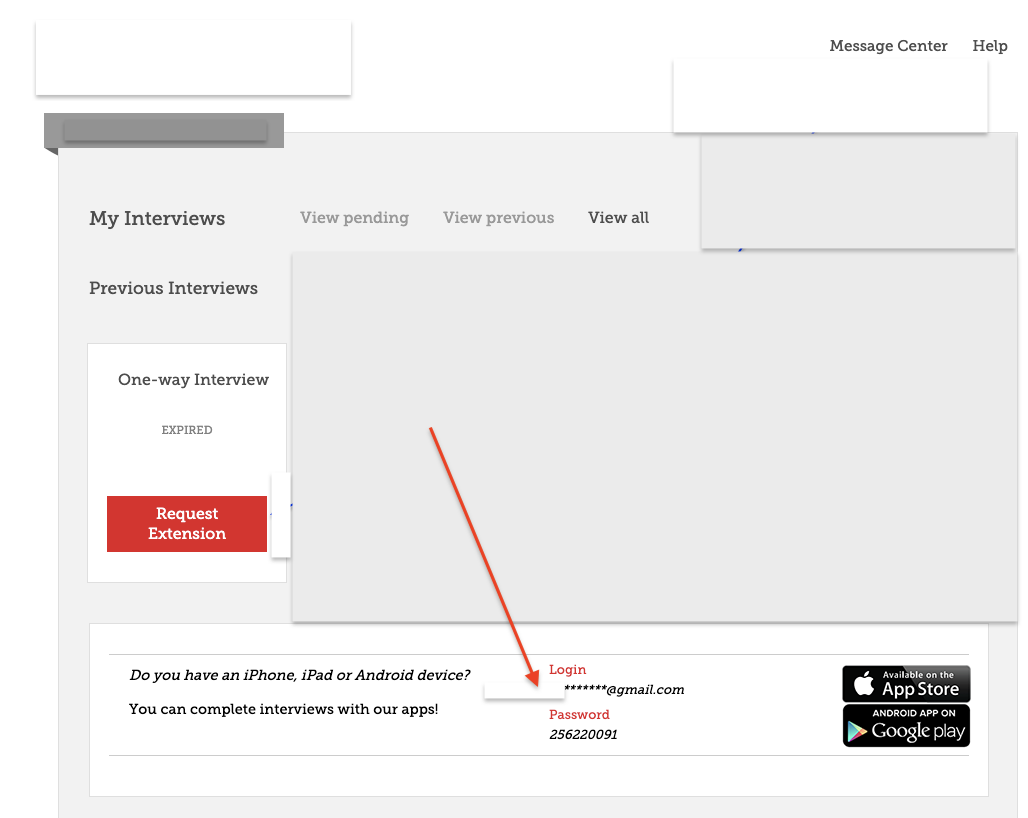
Your unique mobile 'Password' - The interviewsteam mobile app password is located inside the candidate interview link at the bottom of the page (see screenshot).
*** NOTE:
-
-
-
You cannot reset this password.
-
If your invite expires, once the recruiter extends your digital interview, you will use the same mobile application password.
Note: The log-in email address is the email address to which the invitation was sent.
Need more help?
Please contact our technical support team following the steps in the article below:
Additional articles you may find helpful
What internet web browsers are recommended?
What do I do if the mobile app is not available?
