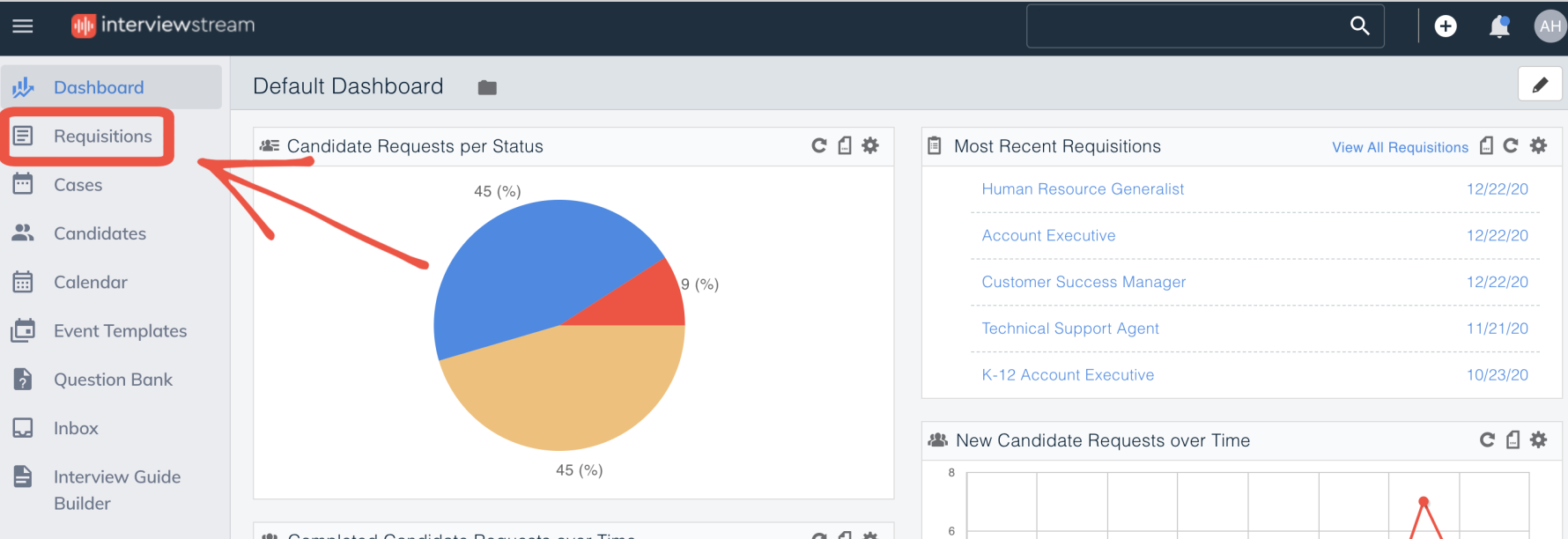
Click "Requisitions"
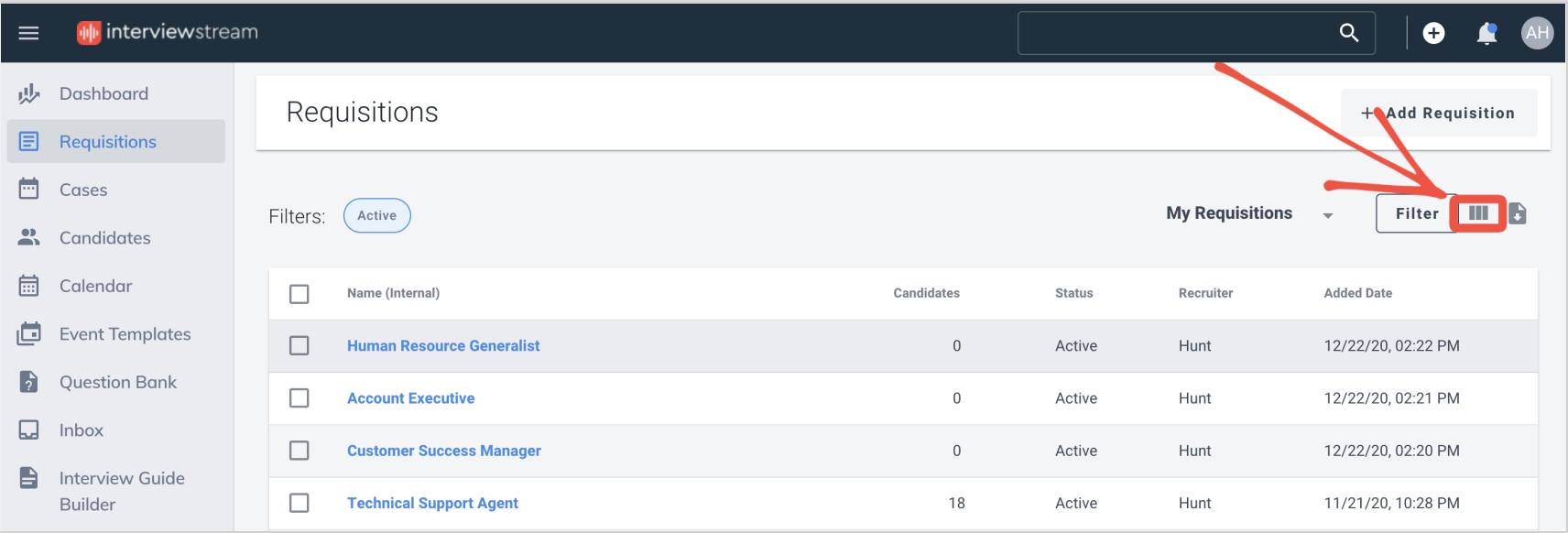
Click the "Configure Columns" icon
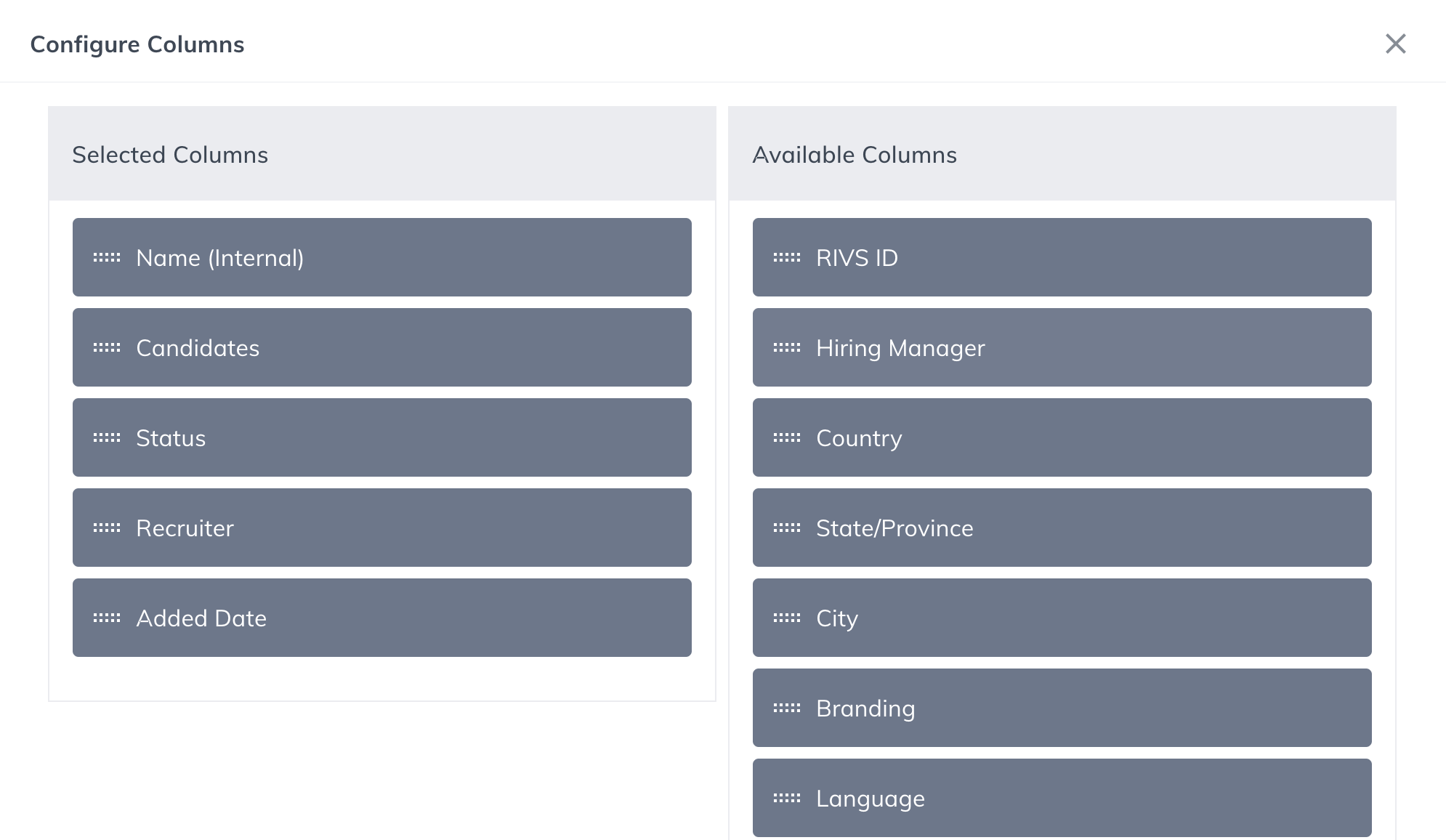
Drag and drop the column options you want to see using your mouse. Note: The columns will appear in the same order you have them listed in Selected Columns
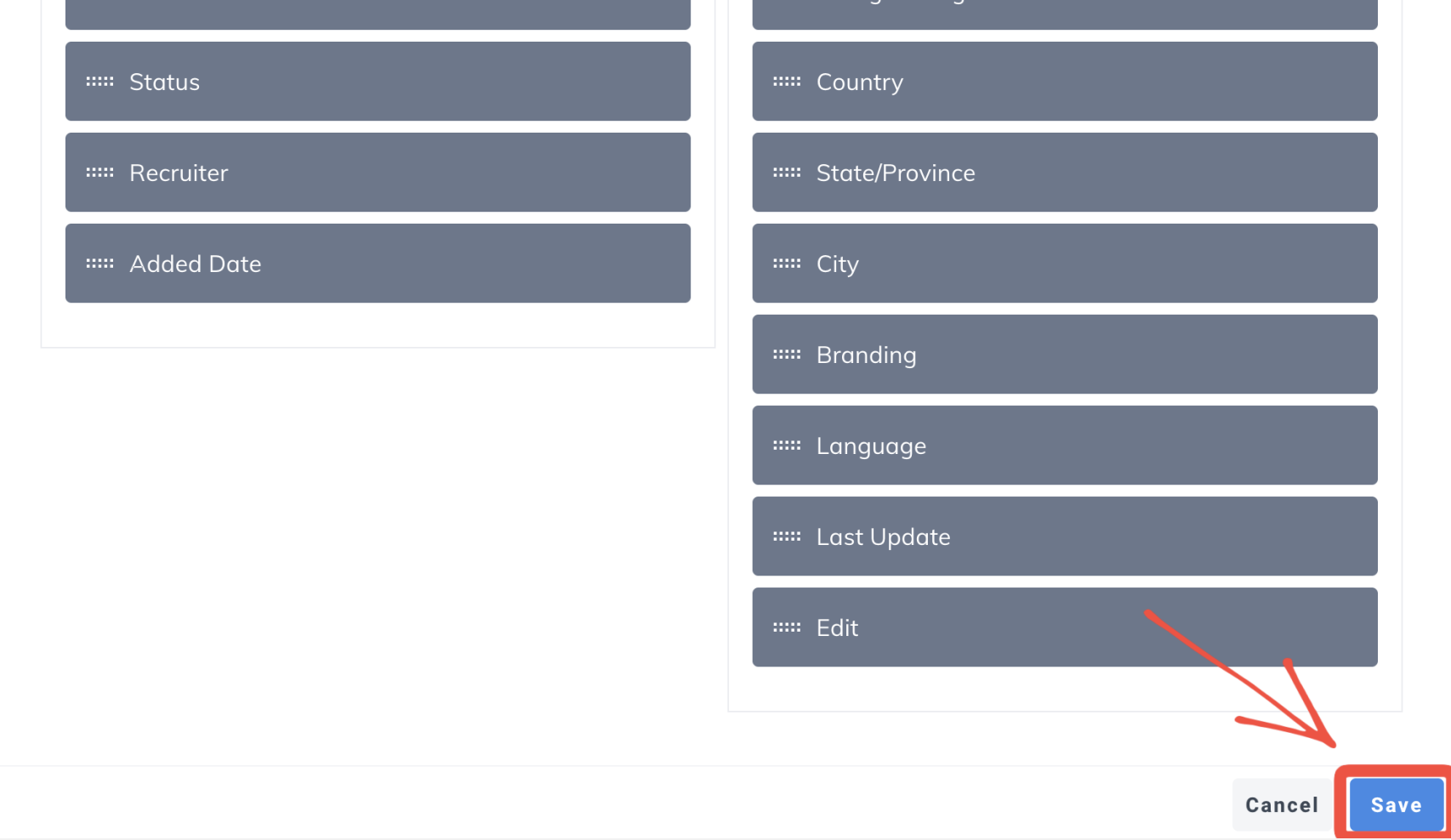
Click "Save"

Click "Requisitions"
Click the "Configure Columns" icon
Drag and drop the column options you want to see using your mouse. Note: The columns will appear in the same order you have them listed in Selected Columns
Click "Save"