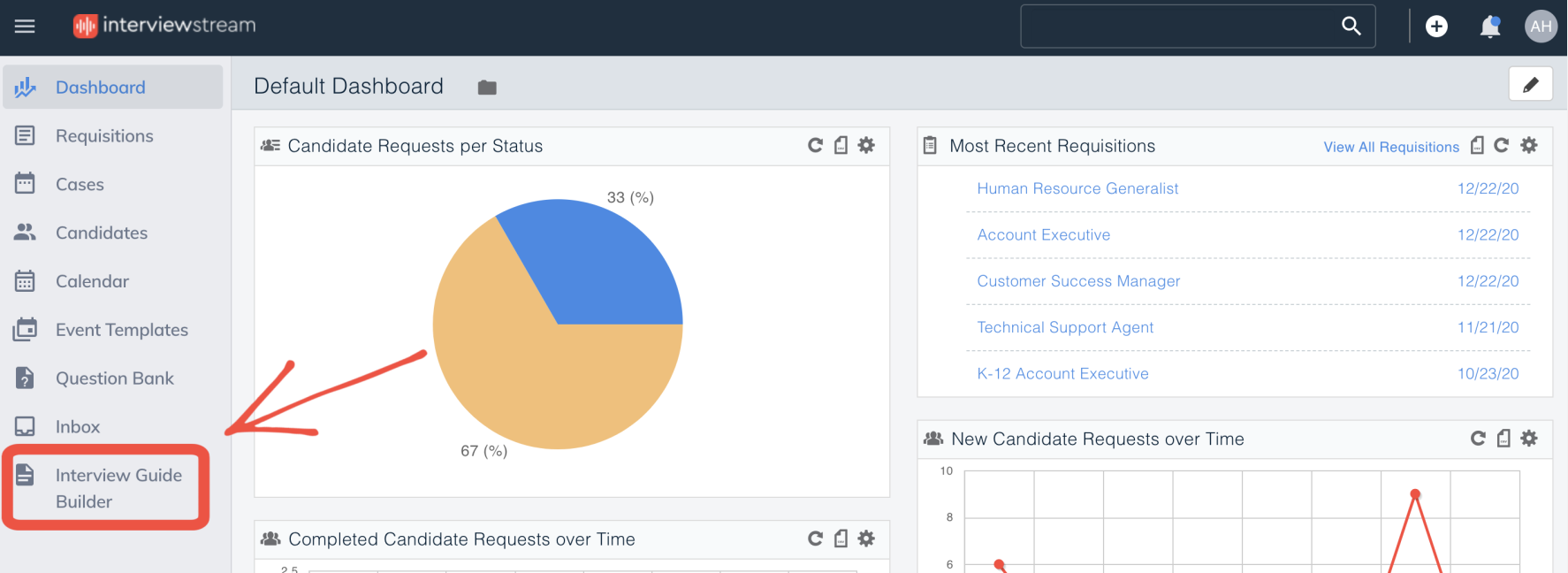
Log into interview Guide Builder
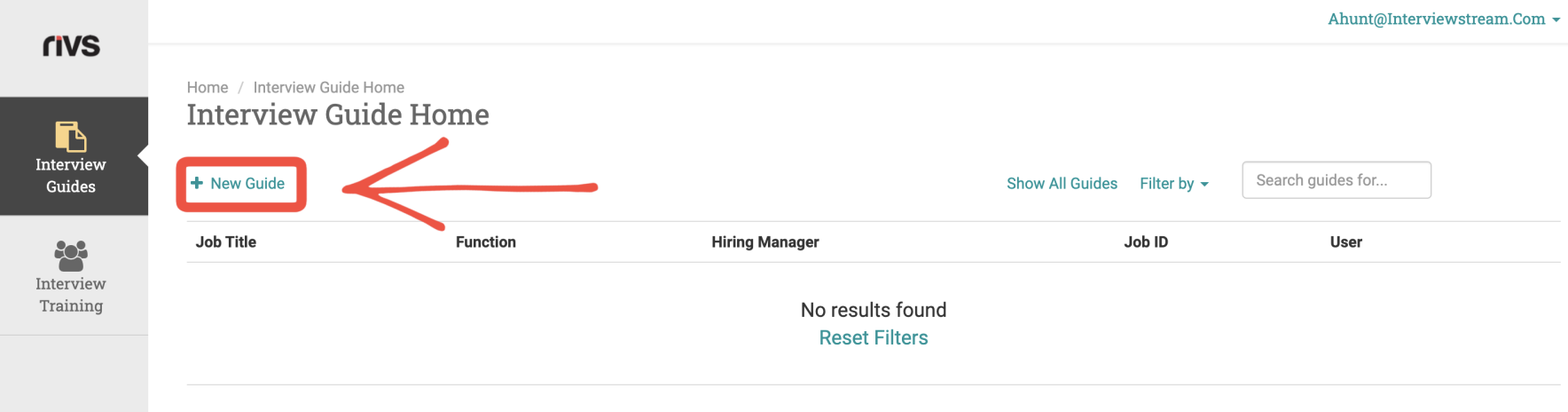
From Interview Guides on the side menu, click the “+ New Guide” button
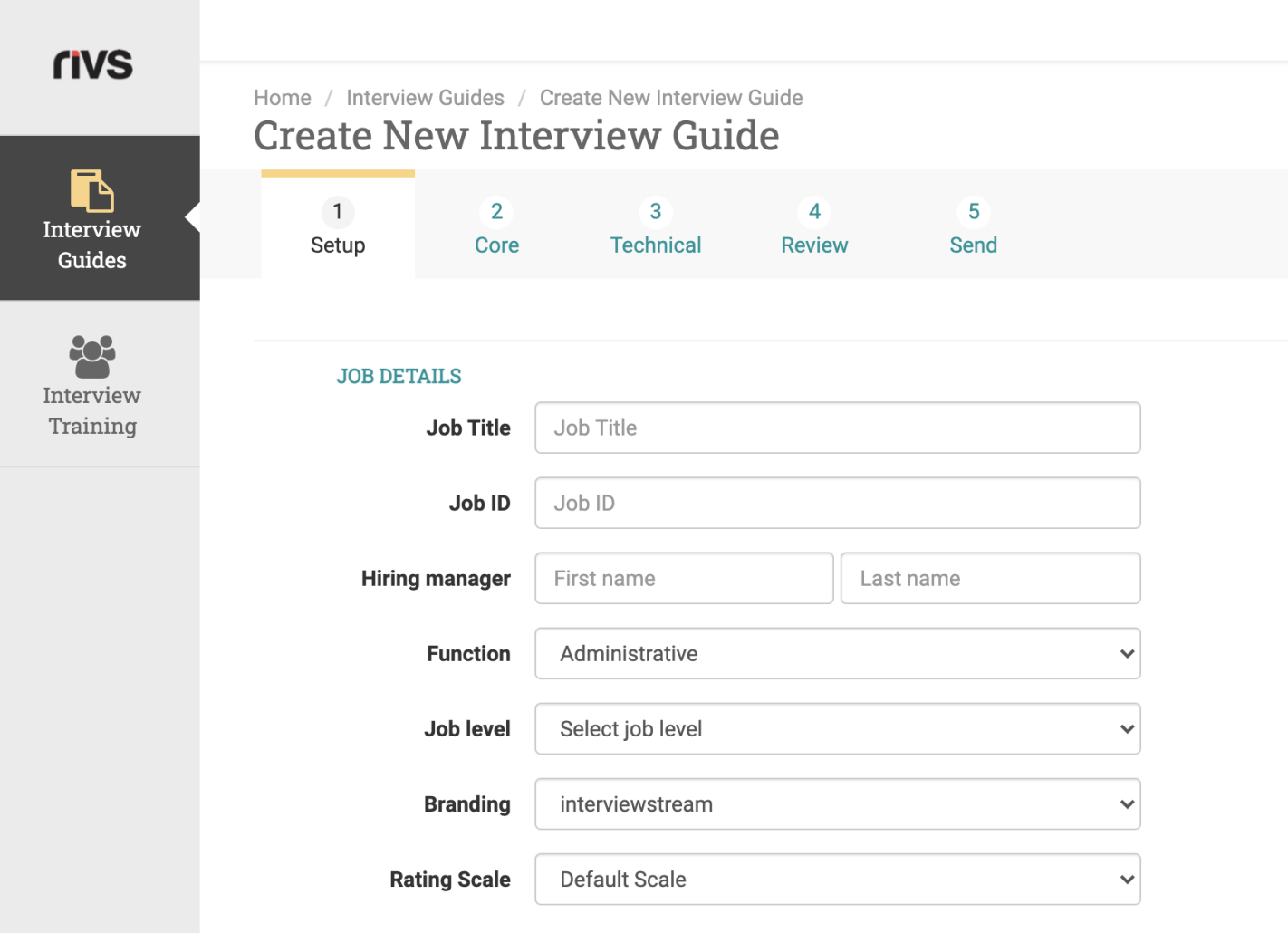
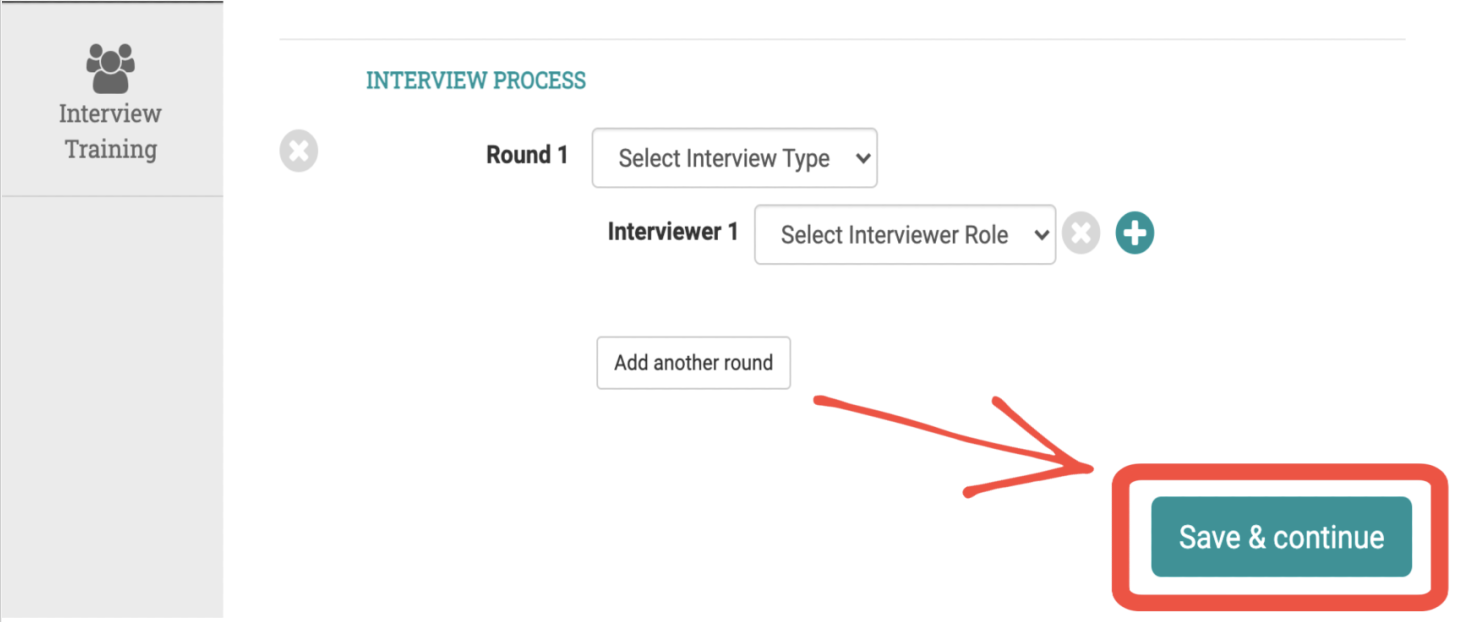
Fill out the 'Job Details' and 'Interview Process' forms. Click "Save & Continue"
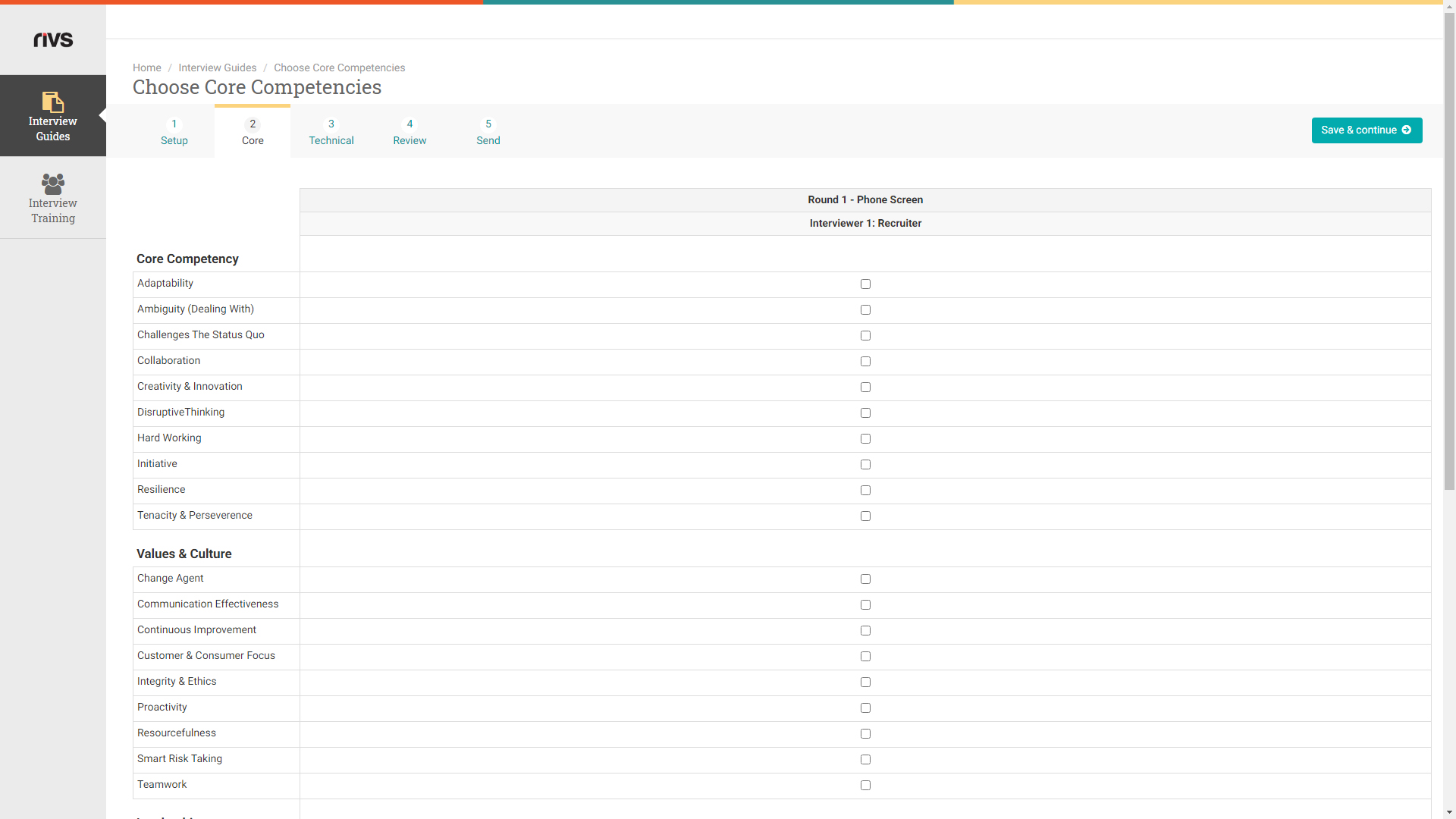
Select 'Core Competencies' for each interview in the Interview Guide and then click "Save & continue" The guide builder will select questions based on the selected competencies.
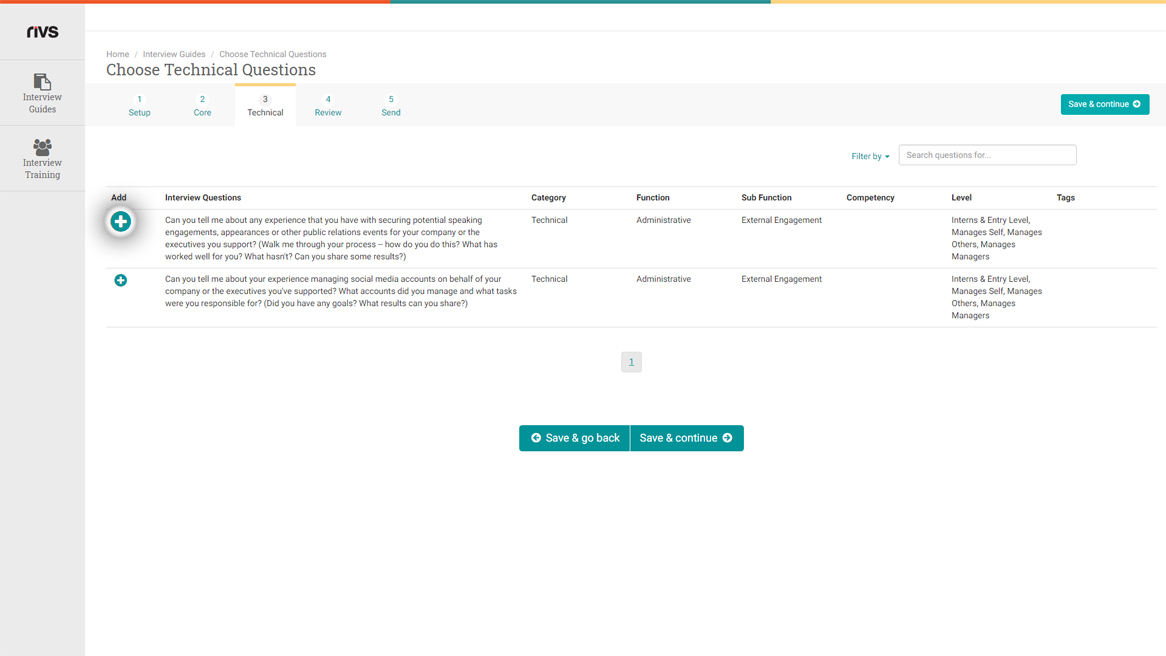
To add technical questions from your available Functions/Sub-Functions to the Interview Guide, click the “+” button next to each question
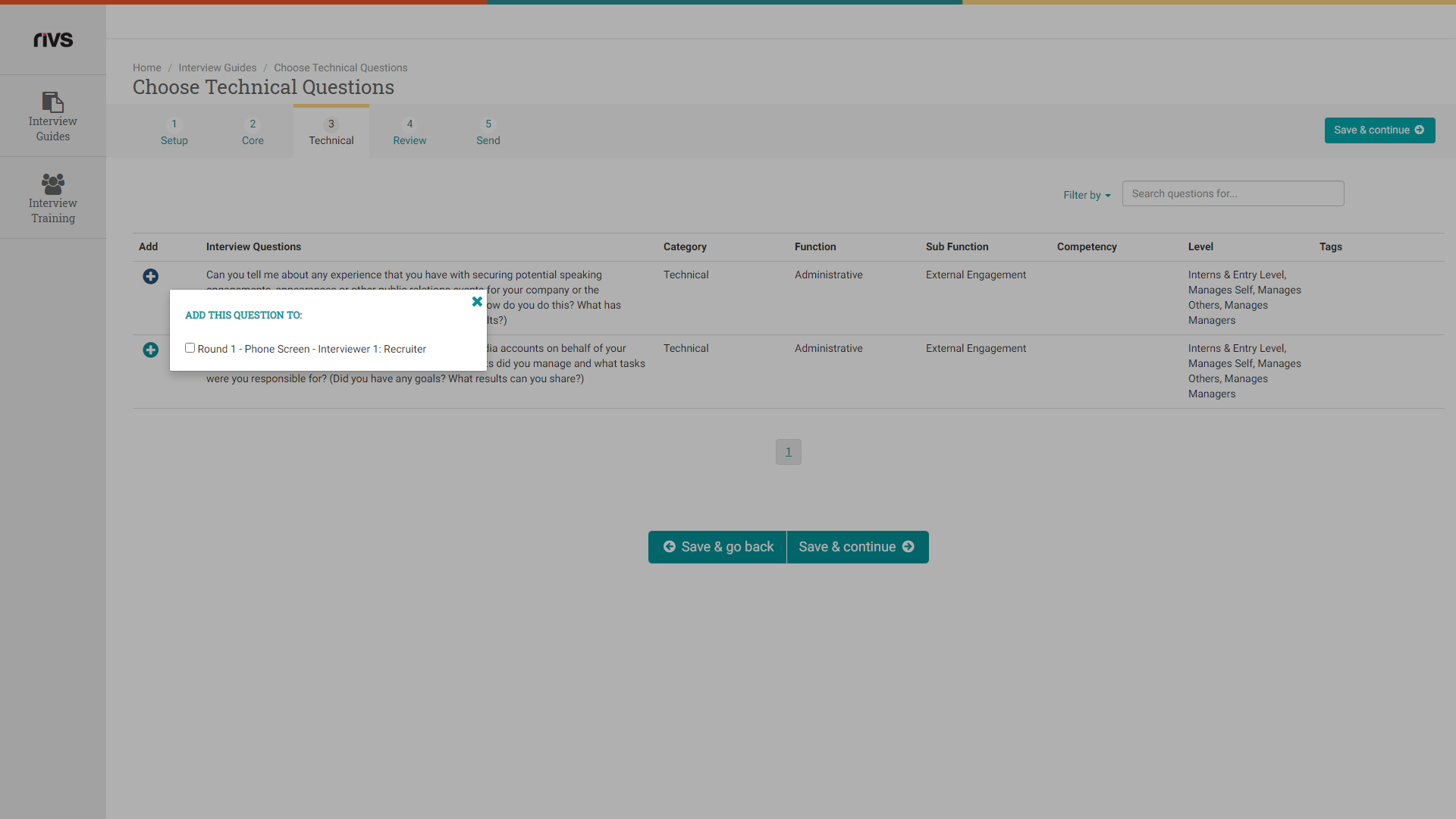
Select the checkbox next to the interview round when the question will be asked. Click "Save & continue
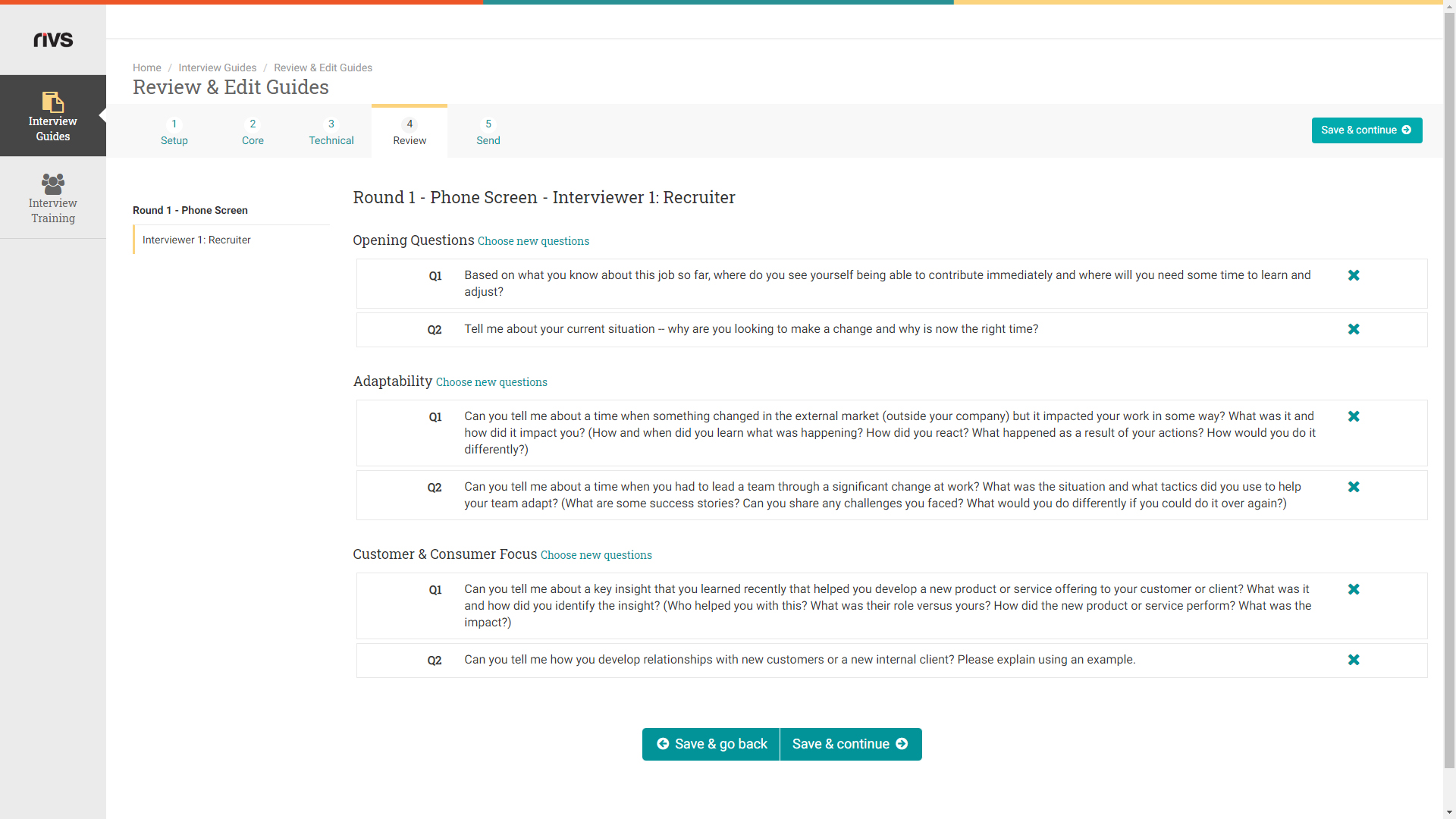
Review the selected questions.
- Drag and drop to reorder questions
- Delete questions by clicking the X button
- To add additional questions, click 'New Questions' from the selected category.
- Click 'Save & Continue'
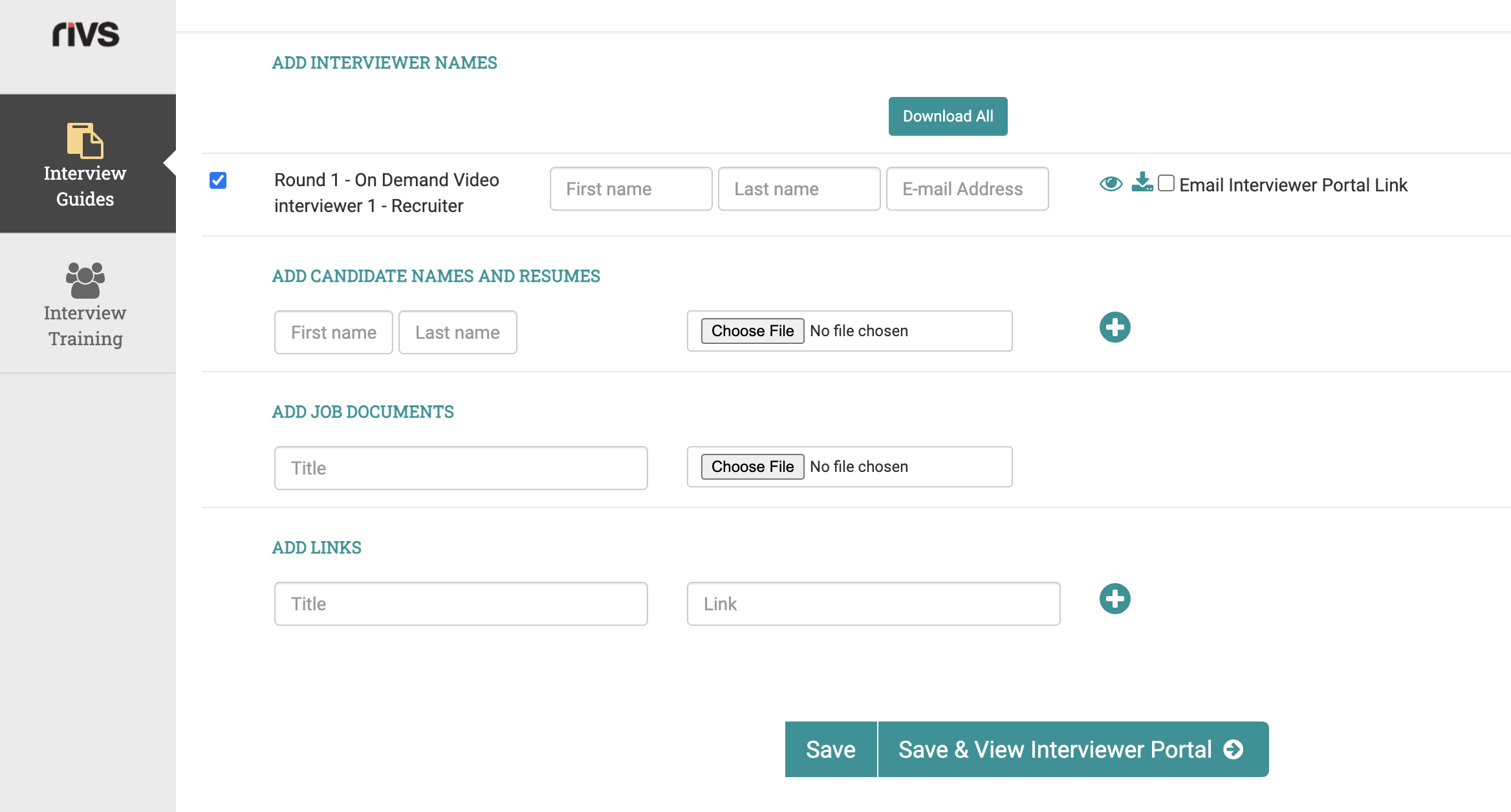
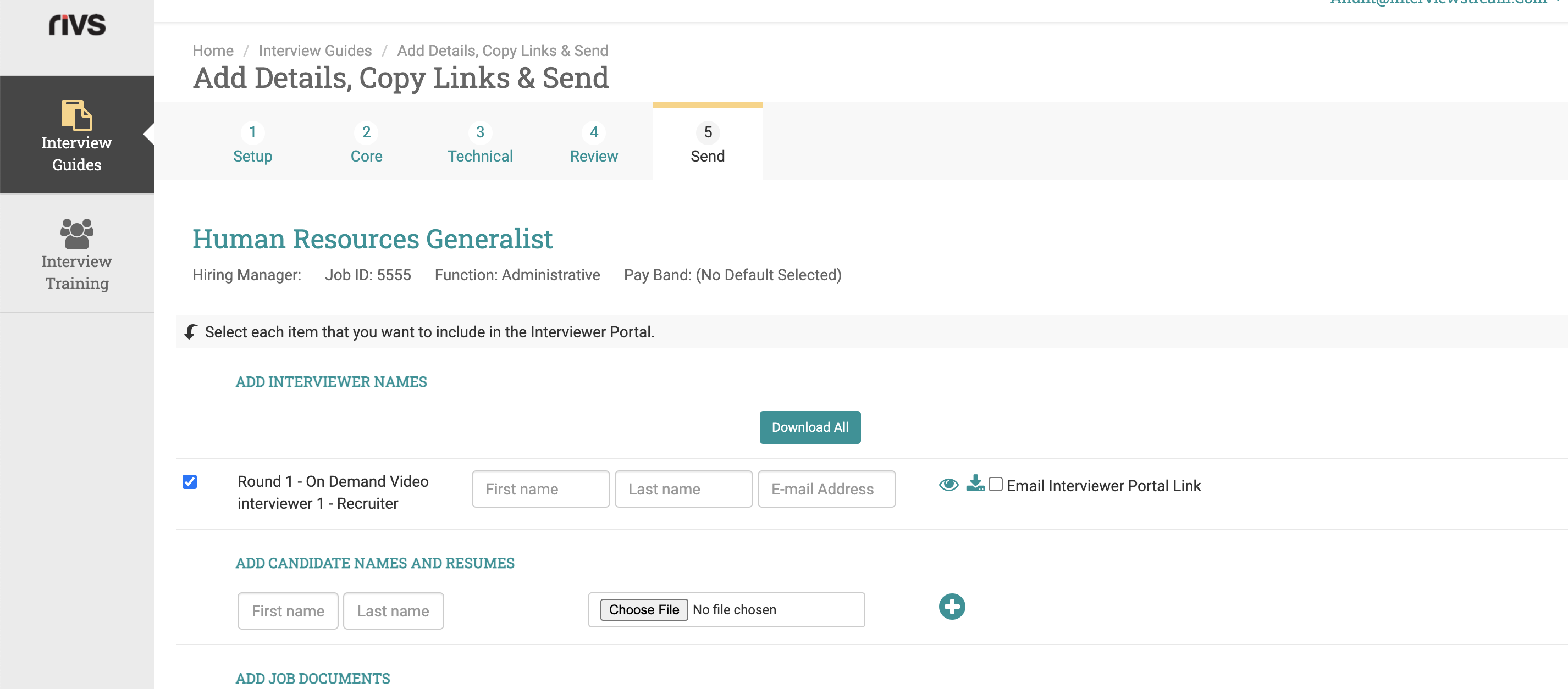
Final Interview Guide Configuration Options
- Add Interviewer Names: Add interviewer Names to their corresponding guides.
- Preview/Download Buttons: Preview and/or download the guide.
- Best Practice: We recommend clicking the Email Interviewer Portal Link check box as sending the recruiter their interview guide will allow the recruiter to log interview feedback.
- Candidate Information: Add the candidate’s first name, last name, and résumé. (optional)
- Add New Candidate Button: Click the “+” button to add new candidate rows.
- Job Documents Information: Add relevant job documents.
- Interview Link Information: Add relevant interview links.
- Add New Interview Link: Click the “+” button to add new Interview links.
Click "Save, Save & View Interviewer Portal"